Showing posts with label dos. Show all posts

Wednesday, August 9, 2017

You've Been In The Pipeline Filling In Time Part 1 - Preview

Windows 2.03.

THIS TIME THERE IS A MOUSE THAT WORKS!

Windows 2.0 is a 16-bit Microsoft Windows GUI-based operating environment that was released on December 9, 1987, and is the successor to Windows 1.0

Windows 2.0 allowed application windows to overlap each other unlike its predecessor Windows 1.0, which could display only tiled windows. Windows 2.0 also introduced more sophisticated keyboard-shortcuts and the terminology of "Minimize" and "Maximize", as opposed to "Iconize" and "Zoom" in Windows 1.0. The basic window setup introduced here would last through Windows 3.1. Like Windows 1.x, Windows 2.x applications cannot be run on Windows 3.1 or up without modifications since they were not designed for protected mode. Windows 2.0 was also the first Windows version to integrate the control panel.

New features in Windows 2.0 included VGA graphics (although 16 colors only). It was also the last version of Windows that did not require a hard disk. With the improved speed, reliability and usability, computers now started becoming a part of daily life for some workers. Desktop icons and use of keyboard shortcuts helped to speed up the work. The Windows 2.x EGA, VGA, and Tandy drivers notably provided a workaround in Windows 3.0 for users who wanted color graphics on 8086 machines (a feature that version normally did not support). EMS memory support also appeared for the first time. - https://en.wikipedia.org/wiki/Windows_2.0

That is Wikipedia-ness.

Couple of screens now then some actual stuff later on.

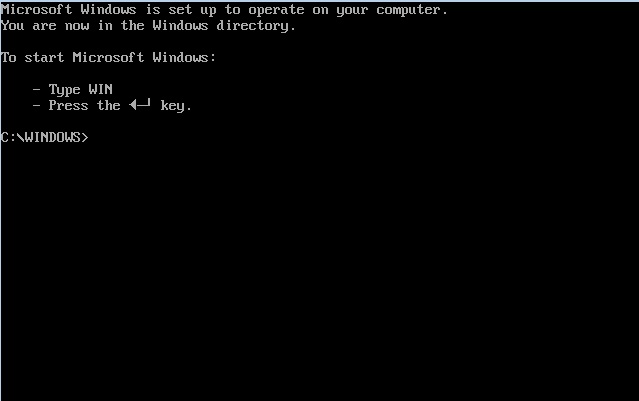
 The front box art from Windows 2.11.  We aren't going to be looking much at this version at the moment because DosBox cannot handle the memory requirements.

So here we have the directory readout and software version. Thirty-one files and a whopping 1.3MB...Seems kind of sparse, eh?

Here is the same screen from Windows 7, just for the sake of comparison.  35 files, 56 directories and a whopping 6.6GB for this install.  I realize this is not stock, but the installation DVD is almost 4GB.

My understanding is that this version of Windows is the last that is able to be installed and run from a floppy disk(gasp!)

Have a splash screen!

Anyway, real content to come later.  Maybe tomorrow, maybe the day after...Who knows.

I feel good about being able to get through all of these though.


Every New Beginning Comes From Some Other Beginning's End Part 5 - Applications Part 2

This post marks (I'm pretty sure) the end of my playing with Microsoft Windows version 1.04.  It is interesting to see the evolution of some of the programs we take for granted...Notepad and Paint are the two highlights of this post for me. I would probably have enjoyed it more if I could have actually gotten a mouse to function.

Anyway, here we go.
 
MS-DOS Executive.  A graphical way of opening a DOS program. Might be more useful than that, but I don't think so.

Notepad.  Nothing new here. Nothing really different from what we all know either, come to think of it.

 In the beginning there was Paint. 

The graphic creation/manipulation program we all love to hate on.  In these days it wasn't actually capable of colors.  Or jpegs. Or cat gifs.


 How far we've come!


 Reversi. The first game for Windows! Not only do I not know how to play the game, I'm not entirely sure how to pronounce the name.

 The Print Spooler! How exciting!

 Terminal...Not what I was expecting it to be.  Not really sure what it actually does.


 Good old Write!

Once again, I got stuck on the Desktop(ish) screen.  Again, not having a mouse or the motivation to look up the keyboard commands to get myself unstuck, I just killed DosBox and am ready to move on.

Up next...Windows Version 2!

Tuesday, August 8, 2017

Every New Beginning Comes From Some Other Beginning's End Part 4 - Control Panel

Time for the Control Panel.

This thing really doesn't do much. Granted, there isn't much to be done here.  Since I really don't have much to say, I'm just going to let the screens speak for themselves.


 You'll notice that about the only hardware you can configure here is the printer.


You can mix your own colors for the "theme"


So yeah.  Extremely rudimentary, but to be expected.  Windows was just getting started and not even top of the line for this stuff in the mid to late 1980s.

More applications coming soon.

Monday, August 7, 2017

Every New Beginning Comes From Some Other Beginning's End Part 3 - Applications

Here are screens of some of the built-in applications.  Interactivity is limited due to the lack of mouse support that I am able to figure out.

Honestly, I have no more than 3 more posts on this particular version of Windows after this, so I don't expect to care too terrible much about it.

 The MS-Dos Executive is the main screen. Not sure if that is true for everyone, or just me and my mouse-less self.

 Pretty much everything is full-screen.  The calculator makes this most obvious.

Here we have a basic calendar.

What would later become the Desktop that we all know and love.  Also, looks to have loosely inspired Windows 3.x with everything minimized.

Cardfile...I don't know what the heck this does or how to use it. I'm probably missing out.

Clipboard. Derp.

Good old Clock! Pity I cannot figure out how to close it once opened.

There are the first few apps in alphabetical order.  Control Panel next time!

Saturday, August 5, 2017

Every New Beginning Comes From Some Other Beginning's End Part 2 - Setup

I opted for DosBox on this one since it doesn't need much in the way of anything to work, and this OS cannot need really that much in the way of resources.

Downloaded and installed DosBox.

Mount a folder for the drive. 


Set the DOS version to 3.31 so that it doesn't just crap out (which it does at the default level).

Here is where things get interesting.  DosBox, at least the version I am using, doesn't allow you to mount multiple floppy images and scroll through them.  It implies that you can do it with a CD-Rom ISO image, but I didn't feel like converting 7 floppy disk images into 7 ISO files.

I ended up extracting all of the disk images into one folder and mounting that folder as A: with the "-t floppy" parameter.  Just mounting the folder as A: didn't let me do anything but a loop on the installation.

That was irritating.

Moving right along.

There really isn't any sort of graphical based setup program.  At least they give you clear instructions regarding what button to press as you go.

Press "C" and carry on.

Tell it where you want Windows to live.

It intrigues me that they have everything seperated out by disk.  I don't remember how they have the Windows 3.1 disks broken up, but they actually tell us what lives where here.

I like it.

Asks about a pointing device.  I haven't gotten one to work with this OS yet, but I'm still trying!

Graphics adapter...Just go with #6 if you are using DosBox on any kind of at all modern PC.

Go ahead and press "C" every time it prompts you to do so.


Three disks later I was able to nab a screenshot of what was going on with the disks.  DosBox on modern(ish) hardware makes this process go so much quicker.  Using files already on the hard drive rather than using 5.25" floppy disks probably help the whole speed thing too.

Microsoft Write...Last disk!

Installation complete!

That is the most tricky part of this I have encountered thus so far.  I spent about an hour trying to get out of the loop between the first and second setup screens.  Like I said, that floppy parameter seems to have made all the difference for me.

Friday, August 4, 2017

Every New Beginning Comes From Some Other Beginning's End Part 1 - Preview

I started playing with Microsoft Windows version 1.04.  There was much madness with getting it to install and run in DosBox. Mostly due to the multiple floppy disk based install.  Doesn't work like Windows 3.1 in that regard.

Anyway.  It is crude. At least by today's Windows standards.  But, well, it was the mid '80s and personal PCs were still more of a novelty than a way of life.

I'm not going to get super in depth with this right now, but here are a couple of screenshots.

Splash Screen

 The Desktop? I guess?

Anyway, in the morning I am going to (hopefully) sit down and start from scratch on my laptop.  I'll do the usual, screenshots from beginning to end with my thoughts on each step of the process.

I'll use DosBox for Windows 1 to Windows 3.11 For Workgroups.  After that it gets more difficult.


Saturday, August 20, 2011